Showing posts with label Snapchat. Show all posts

Friday, 11 August 2017

What Is Snapchat Map, How To Use It? What is So Interesting in It ? ~ niit post

In the running scenario of social media applications, we all are familiar with picture messaging app SNAPCHAT. The new direction in social media has 166 million daily active users. The app started in 2011 with the just iOS platform has devolved so much till now (2017).
It just not left with filters or emojis or short videos. But, it has now map feature also that allows you to share your location with added contacts know as Snapchat Map. The new update came in effect from June’21st of this year and the last app updated on August’1st.
Also Check:

Snapchat

What is Snapchat Map?

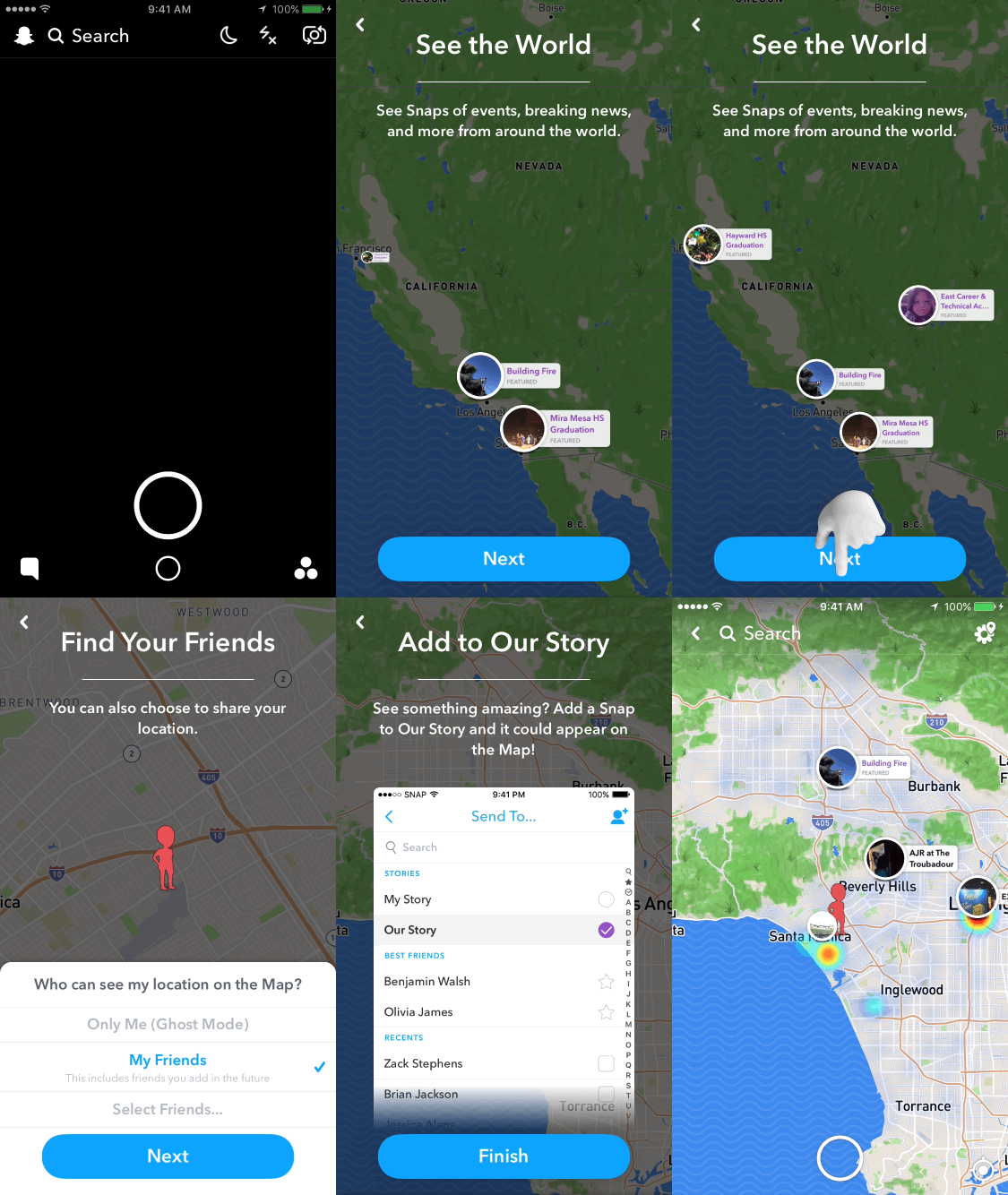
Snapchat Map is again another feature in the application. This works similarly like google maps and apple maps. Sort of street maps which shows your location to the people who have added you and you’ve added them back. It works using phone’s GPS sensor and displays your location to your friend.

How to use Snapchat Map:

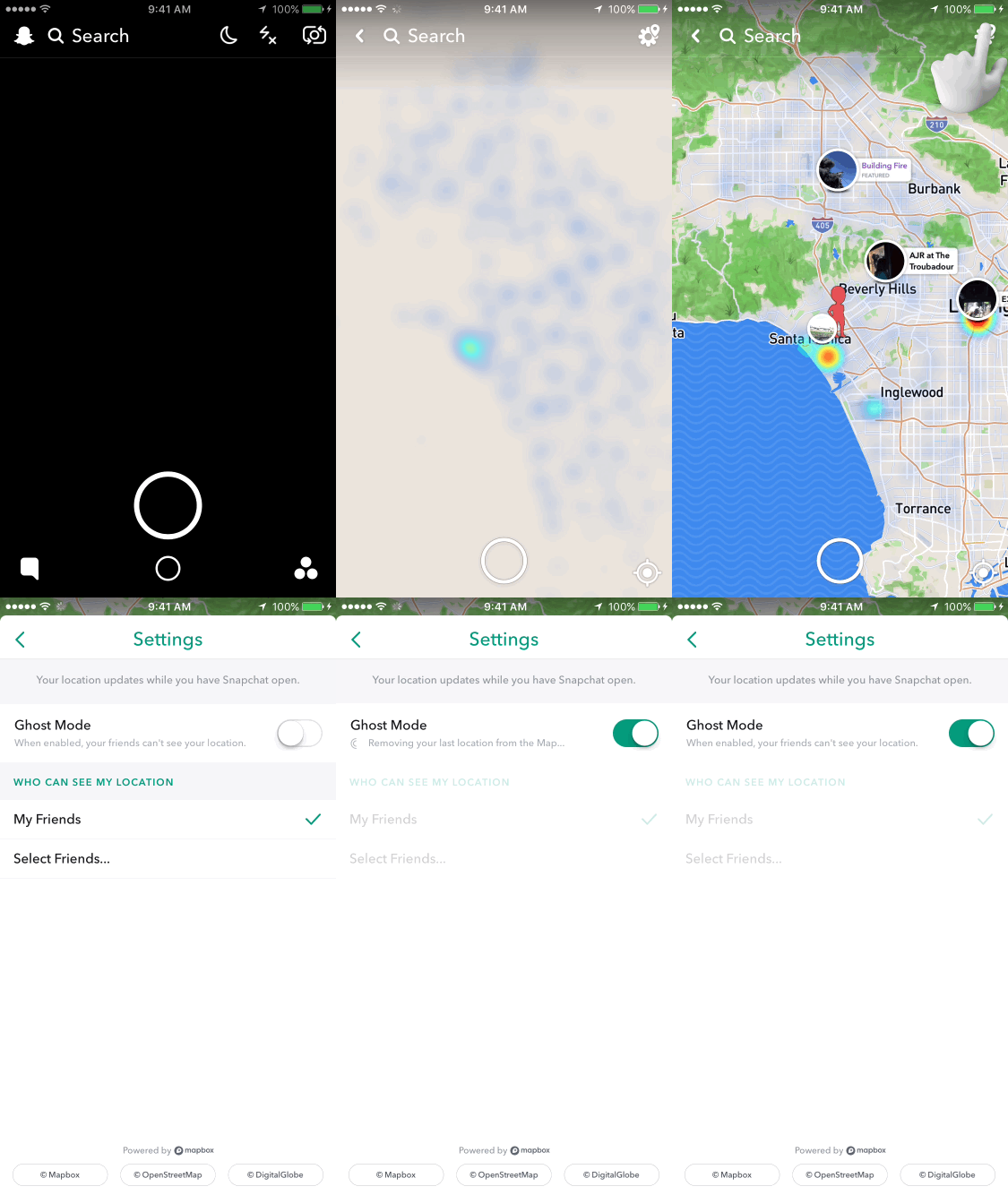
  • Go to the Snapchat Application.
  • Open the Camera Screen.
  • Camera Screen → Clinching the fingers inwards as zooming out from a picture. For example, if an ant is running on your screen and you trying to grab it. ðŸ˜›
  • The application will automatically detect your location by phone’s GPS sensor.
  • Your last location will be visible in Snapchat. As location only get updated when your application is running on the screen.
Snap Map
The most flexible thing about this feature is that you can choose the audience like who can see your location. The people you can share your location with are-

  • ONLY YOU (GHOST MODE)
  • THE FRIENDS YOU HAVE SELECTED (GROUP)
  • YOUR FRIENDS (THE PEOPLE YOU’VE ADDED)

WHAT MORE WE CAN DO WITH THIS ADDED FEATURE?

Snapchat map allows you to see snaps of events, celebrations, breaking news from around the world. As snapchat is so popular, snaps keep coming from almost everywhere. All that one needs to do is submit that to “MY STORY.” Rest is one need to tap anywhere on the snap map. Furthermore, one can also follow Heatmap which is two signs. Red means there are loads of snap while blue means some snaps are taken at a particular spot.
Only Snaps submitted to “our story” can appear. Only if the event seems to be happening as snapchat has an automated system that decides what to show on maps. And regardless of what location setting, you are using, it can demonstrate on the snap map.

How can you find your friends on the Snapchat map?

To witness activities of friends on the Map, you must need to add them and they add you back will let you see their activities, and for location, you must choose to share each others location. The friend you wanted to see the location, must be getting shown with Bitmojis(if they have their Bitmojis a/c linked) otherwise a blank Bitmoji outlinewill appear. You can see last updated location of your mate. To see the current location, your friend must need to open snapchat to get it updated as this function doesn’t work when the app is closed. Moreover, it will get disappear in several hours, or if they get into ghost mode, you won’t be able to see. The best part is your friend will not be notified if you tap on their Bitmoji.
The Location setting option of Snap map.
After getting updated with this feature in your Snapchat, whenever you open snap map for the first time you’ll be asked who to choose as your audience to share your location within Snapchatters. What so ever you choose, you can always change this in the setting.
To modify this setting, you’ll have three options.:
  • ONLY YOU (GHOST MODE)-  Your location will not be visible to anyone on the map. Bitsmoji will show up with the blue sign with a ghost icon.
  • THE FRIENDS YOU HAVE SELECTED- your location will only be visible to the friends you have selected. If any particular name is not coming to your list who you want to share location, then that must be because the other person must not have added you back 
  • YOUR FRIENDS- All your friends who you have added and they have added you back will be able to see your location.
You can just edit this by tapping on location setting button on the top right corner of the Map.
Snapchat Map
To search for a friend on the map.
Tap on the search tab on the of the top of the app and type the name also you can look through “Friends on Snap Map” to see who all are currently sharing their location with you.

What if in case you find something inappropriate?
You can report any inapt content you witness by going on-
  • Snap you want to report.
  • Press and hold the snap.
  • Tapping the button which comes in bottom left corner.
  • Letting us know why you want to report this Snap.
Happy snapping ðŸ™‚
Read More »

Secret Snapchat Tips & Tricks That You Must Look ~ niit post

Hello and welcome to this exciting article in which you are going to learn so many things and like it for sure. In this article I will share some secret Snapchat tips and tricks that you make you smarter than any other Snapchat user.
snapchat

Snapchat is very popular nowadays with over millions of active users and over 2 billion messages/snap sent per day. Nowadays Snapchat is equally popular as WhatsApp but has some cool features too. Using the Snapchat app might be difficult for any new user or there are many users who just know the basics of the app.

But the fact is, Snapchat has some excellent features and tricks which you don’t know. This is the reason why today I have decided to share best Snapchat tricks which will make you a pro in using this app.
So, I will not stretch this anymore and lets check out 20 hidden Snapchat tricks and tips that you must know.

20 Hidden Snapchat Tips and Tricks

  1. One Shot, Two Filters:
So Snapchat has many amazing filters which is the one of the best feature of this app. But did you ever thought what if you can use two filters at once in a shot? This is possible with Snapchat and you can use any picture filter with one of data label filter, all you have to do is some multitask with your fingers, I mean hold your finger on the screen after applying a filter then use another finger to choose any filter available. This is pretty easy right
2. Add Some Music to Snapchat:

It would be awesome to add your favorite music matching to your Snapchat videos. Well you can do this too, all you have to do is play the music on your smartphone and start taking snap/video while the music is playing in background. The music which you have played will be automatically added to your video.
3. Using volume keys to control camera:
Sometimes taking snaps by holding the finger on the screen may become difficult, this problem usually arise when you are using the selfie camera. But I have a trick for that too. Very few people know that you can take snaps and videos just by using the volume keys of your smartphone.

4. Make your selfie awesome with all your cool effects:
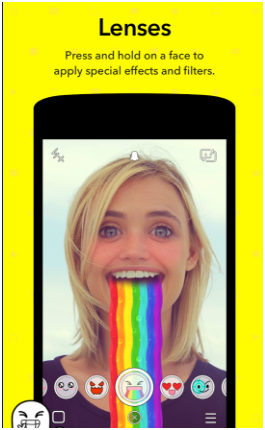
There are various lens of Snapchat with which you can have many fun with your excellent selfies. For using this effective lenses all you need to do is just of press and keep the center of the view finding front face camera. But you have to make sure that you keep your face still as well as using the effect of the camera lens.
5. Save your data by using travel mode:
Yes, on using snapchat it is sure that your data will be consumed in bulk. While using snapchat you will be able to use travel mode to save your data because in travel mode your data is being saved a lot. Enabling Travel Mode in your phone is easy just go to setting and go to manage and then finally enable the travel mode on. So now you will be able to use snapchat by enabling travel mode and loosing your less data.

6. Rewind your video clip and use Slow Mo filters:
Not only you can enjoy snaps in your snapchat account but you will also be able to take a video clip. In snapchat you can take a video clip of anything and add some filters in your video so that it look funny and excited. There are three filters that you can use in your video clip and those are rabbit, snail and reverse.

 7.Deactivate Snapchat account:
This is the last trick and here I am going to share you how to deactivate your Snapchat account. Yes, sometimes you may want to deactivate your Snapchap account for any reason. But unistalling the app from your smartphone is not enough, all you have to do is go to https:/support.snapchat.com/delete-account and sign in their with your Snapchat username and password and there you will find “Delete Account” option. Once you click on the delete account button you cannot revert changes, so be careful while doing this.
8. Emojis and options:
Nowadays who don’t like to use to funny emojis and texts to their images and make them fun to see.Snapchat has option to add emojis and texts to your pictures very easily. The best feature is you can resize the emojis and texts just by pinch to zoom option and also rotate them. So you can fit suitable emojis wherever you want in precise size.
9. Count total views of any story:
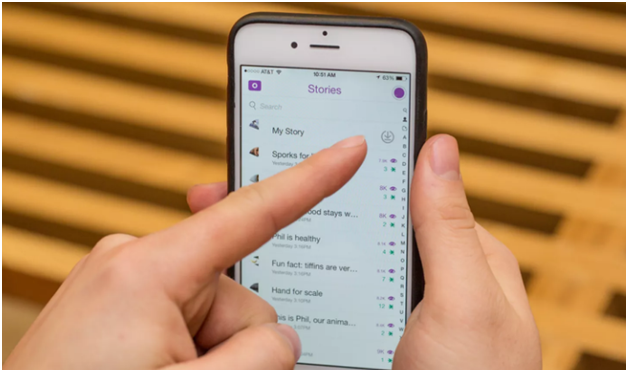
One of greatest feature of Snapchat is that you can create stories. In this part, I am going to share with you the trick by which you can see how many people have visited your story. You just have to click on the My Story section and swipe the screen up, there you will be able to see total number of views of any story.

10. Try switching camera mode by tapping:
There are two camera modes in every app so switching between front and rear camera is very difficult in any other app. Snapchat has made this type of switching very easy, so you will be able to switch your camera from front to rear just by double tapping the camera viewfinder.

11. Night Camera Mode:
When the Snapchat first released in the market, there was a complaint by maximum of the users that the pictures taken by the snapchat is very poor in image light. SO now you will be able to find a hidden features in Snapchat by tapping which your photo will automatically look bright even when you are in a dark place. Many Snapchat users are unknown to this trick and this features is symbolized by half moon. Which means when your night camera mode is activated you will see a half moon in your left top corner of the screen.
12. Do a Video chat:
You can easily connect with your friends or families with video chat using easy video chat features of snapchat. But you will be able to connect to your friends or families only when both of you are online at the same time. You will see a blue button glowing instead of yellow button that means you are now able to connect with your friends with video chat. Keep pressing the blue button to start a video chat. Remember not to leave your finger until and unless you are done chatting with your friends, once you leave the blue button your video chat will be rejected.
13. Enable your verification of your Login:
Snapchat is a secret photo sharing site where you will be able to share funny selfies or photos with your mate. But maximum of the time it gets hacked so it will be better for you that you enable your verification your login. On enabling this login you will be notified if any one login your account in another device through text message.
14. Emojies:
This is one of the important tricks that you should know about your favourite snapchat. Here you will also be able to share emojis with your mates, which means now you will be able to know more about your mates by sharing emojis with them. This is one of the tricks that make snapchat different from any chatting app.
15. Send your photos from the gallery:
Now share your best selfies with different lenses with your friends directly from gallery. So now finally you won’t need any other things to share your excellent selfies with your mates. This tricks is the most I need because sending photos is one of the most important thing hat anyone needs.
16. Use two type of filter in one time:
Did you ever know that you can also use the two types of filters in your picture in just one time. For adding two filters in your photo at one time swipe above your photo as you do for adding filters, and for the second filter, hold your photo with one finger and then swipe over your photo carefully to apply another filter over your photo. Hence, you will be able to use two filter at once.
17. Edit your name in snapchat:
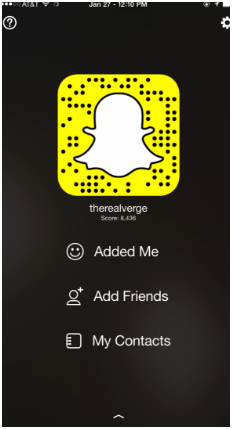
IN snapchat you can also change your name that any one who chats with you will see. As the default name is given as team snapchat, you can delete that name and you are now able to add your name in your own snapchat account. This feature is very friendly that you can now chat with your friends easily because you can know their name now.
18. Add some text in your snaps:
You can also add some text as caption in your photos. Adding text in photos make it more effective and understand able. For adding text in your picture you will first need to add in an open note pad in your phone, then you will be able to add in your photo after opening the snapchat.
19. Add friends without contact:
The “add nearby” function ofsnapchat is very effective to every user because on using this you will be able to add even those who are not there in your contact list. If you want to add some near by friends in your snapchat tell them to on add nearby function. You will be able to see him or her in your list. So this is all you can do to add your nearby friends.
20. Change your lens by changing the date of your phone:
Hey there, finally you can change your phone lens by changing the date of your phone. Don’t think that this is impossible because just by simply changing the time you will be able to see the change in your lens in snapchat app.
So this is all the top 20 tips and tricks of Snapchat that you must know. This Snapchat trick is very simple but only few of the users knows about this all features so I have shared this with you.
Read More »