Few month ago, Reliance JIO came up with free internet, free calling, and free messaging services and charged us nothing in return. The 4G network connection provided by JIO was of great use and maximum population of India is currently having a JIOSIM in their possession for fulfilling their daily requirement of internet connection.
But after a time span of almost a year long, of free service Reliance JIO finally started charging some amount for it which I believe is very very low compared to other network providers. Currently, JIO is offering a 1 GB daily network usage to every user with a pack of just ₹ 309 recharge, but once you use up the 1 GB internet you will be only able to use your internet at the speed of 128 kbps which is very less for most of the things that we do online.
So here today we will describe some methods through which you can increase JIO speed.
How to Increase JIO 4G Download Speed
Now if you are looking for some tricks to increase this speed provided to you, then you came to the right place. We are going to provide you with very easy 7 Methods for increasing the JIO 4G speed in your device.
First, check the maximum JIO speed in your area as JIO has recorded up to 50-75 Mbps speed in few areas and in few areas the speed was very low almost 1-2 Mbps. Follow these simple steps to know the highest speed of your JIO bandwidth.
- Firstly, install the Internet Speed Meter Lite from the Google Play(best app for speed test)
- Then, make sure that your mobile network has been connected to Band 40
- Now, install the JIOTV app in your device then launch the ‘RIL AGM’ Channel and set the quality to high
- Check the speed meter and take a note of the maximum speed
- This will give you the best speed while you stream any video.
- If you are still getting slow speed then just try to do this checking on non-busy hours.
Now you have to do is surpass that speed which you got in the previous speed test Follow these simple steps below to get the optimum internet speed in your device.
1: By Changing APN settings
Increasing the JIO 4G Speed by changing APN settings
It has been noticed that, by making some changes in the APN, a big increment in JIO 4g speed can be achieved. But, before making the APN as default setting be sure that you are following the exact steps to change APN Settings.
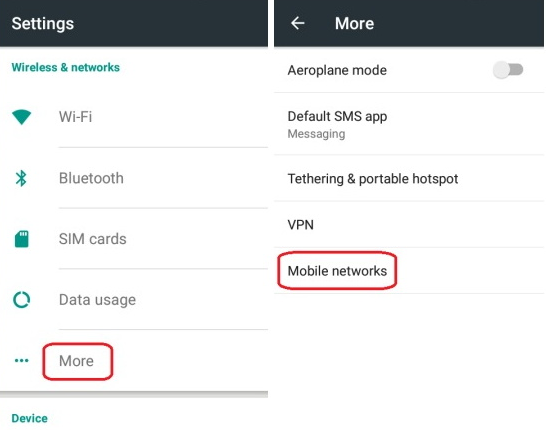
• First, visit the setting option on your smart phone
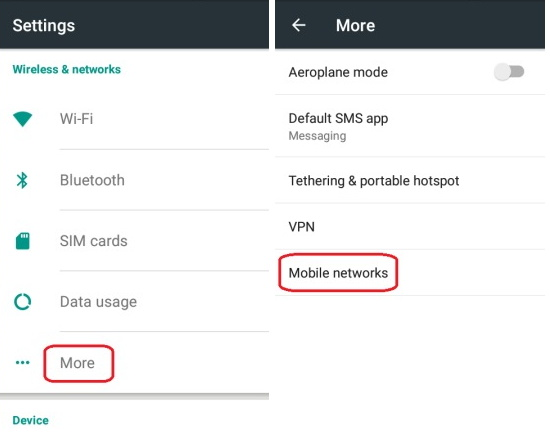
• Then Visit Mobile Networks option from the settings
• Now click on the access point name of the reliance JIOSIM
•Select the SIM slot in which you have inserted your JIOSIM (SIM 1 suggested)
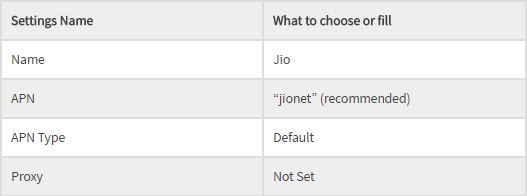
• Select the Menu available at the top right corner and choose the new APN and then follow the below given APN module.
Settings to follow for the APN Network
Now click on SAVE on the upper right corner
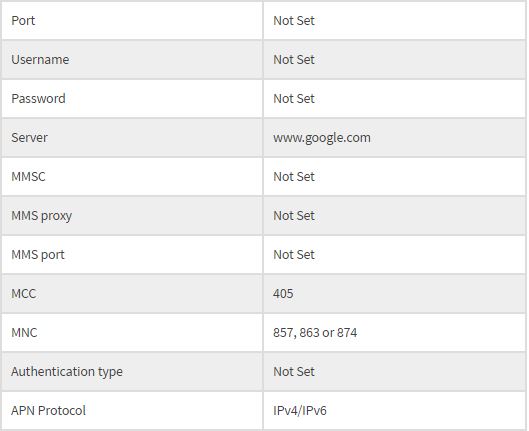
So following this trick means that you are changing few settings in your mobile network and it won’t harm your device. You can still restore the setting at any time. If you make these changes, then you can get high-speed internet. Other than this let’s look into some other methods to increase the speed.
2: By Using VPN Providers
It has been also been noticed that, by using VPN providers, there is a sudden change in the JIO 4G Internet speed. VPN abbreviation of Virtual Private Network changes the IP address of our connection and bypasses the limit of JIO
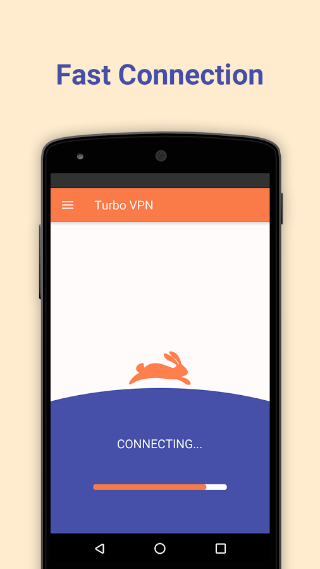
Using Turbo VPN or VPN Master
- First Download Turbo VPNor VPN Master App from the play store.
- After downloading and installing it, open the app
- Then the server will automatically set the country to India and it may take up to 15 seconds for connecting.
- After connecting to the VPN you can check your download speed. It should hit the maximum speed within a few seconds.
If the speed is not improved then you can try to change the country option, but this should work in any case
3: By changing the default Band Coverage
I know it’s very annoying for some users to constantly download and keep extra apps installed for a decade which not only causes storage issues but also affects the device’s RAM management. So, if you don’t want to install any app than this method can easily increase your JIO 4g speed. This setting is also going to increase the band coverage of your device so if, you are struggling with the VPN try this method. You can choose one of these options.
“First remember that these are the bands that give the best Speed and coverage”
sponsored
- Best coverage – Band 5 > Band 3 > Band 40.
- Best speed – Band 40 > Band 3 > Band 5
To increase the speed and coverage of your handset follow these steps:
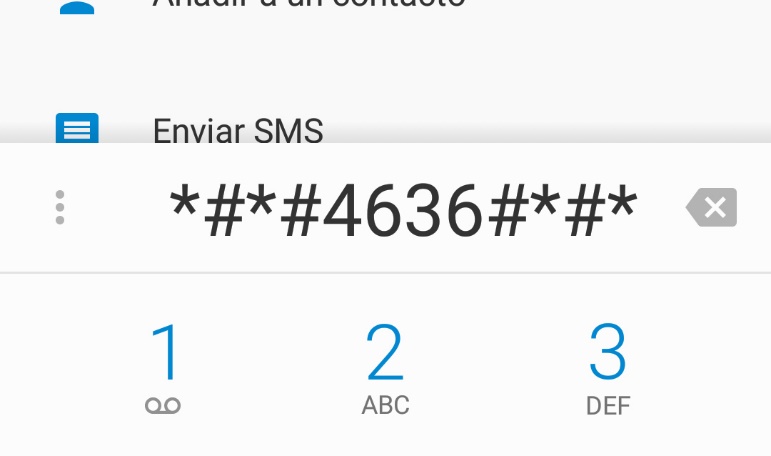
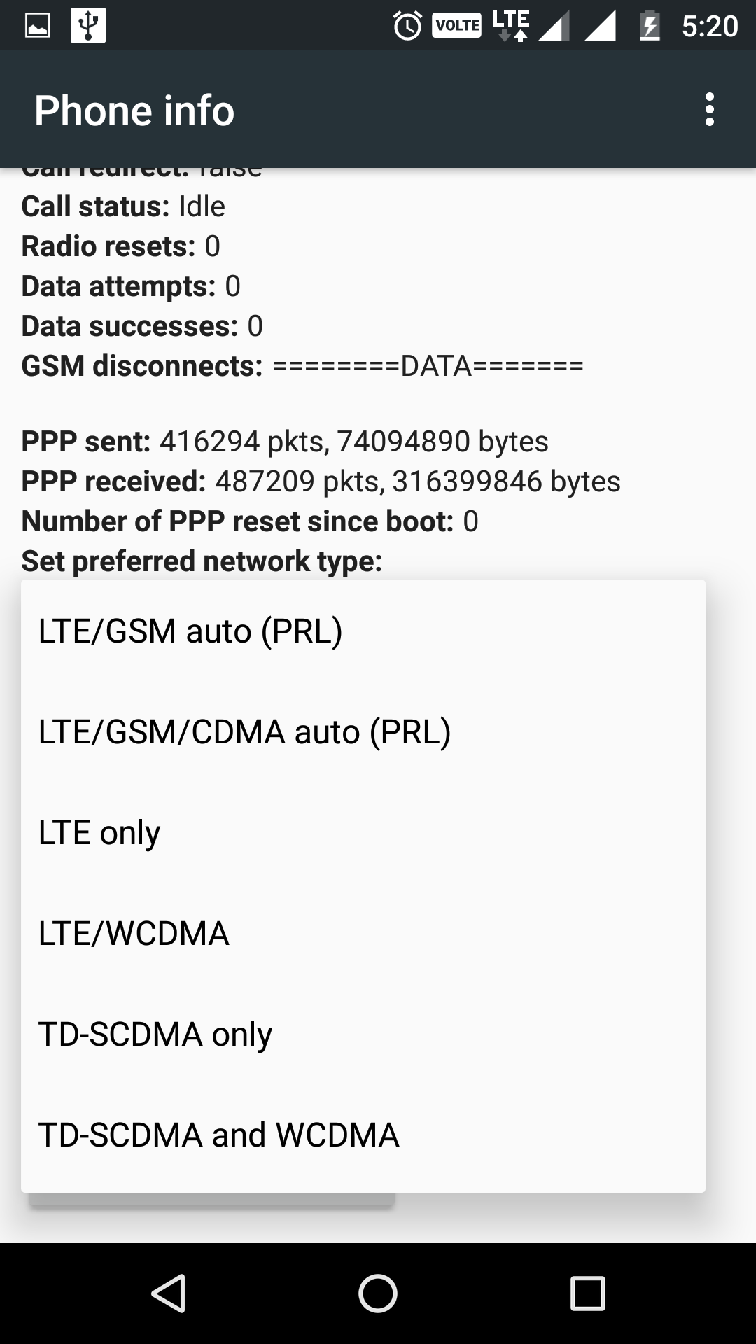
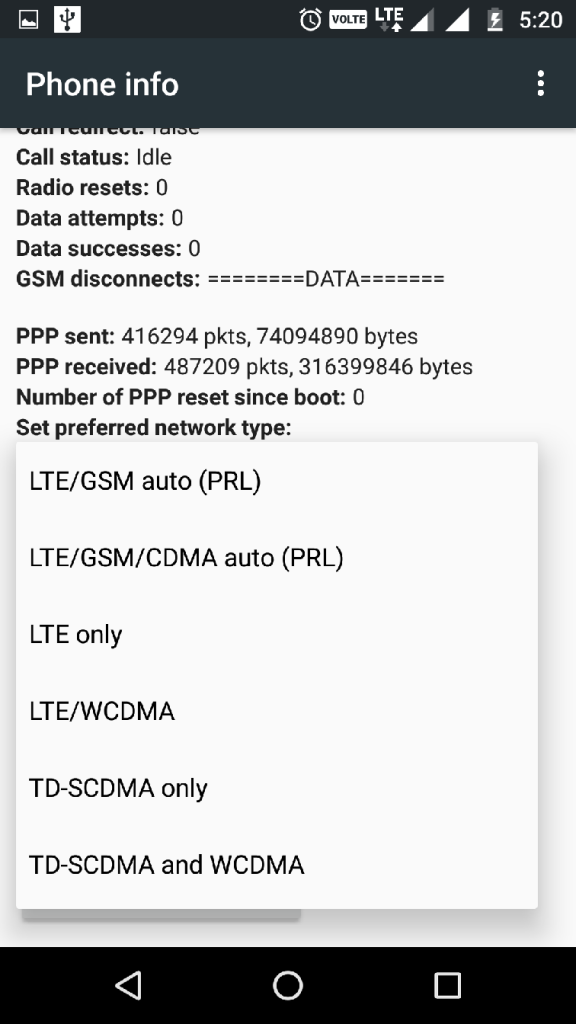
- In the dialler application Dial *#*#4636#*#*
- Now select the phone information option
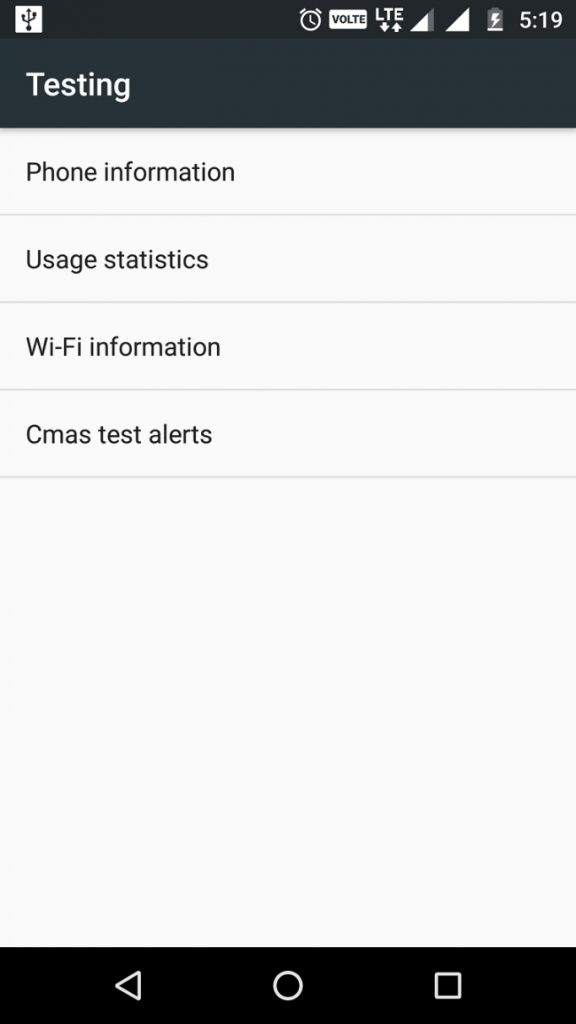
- Then select ‘Set preferred network type’
4: For LYF Handset Users: (This method can work in other devices too)
- Download the AnyCut app from the play store.

- Create a shortcut for ‘Phone Info’ and another one for ‘Engineering Mode’ from the app.
- Open the ‘Phone info’ shortcut and then set TD-LTE Singlemode as the ‘Preferred Network Type’
- Now check the net speed again, and if it hasn’t increased then continue reading.
- Open the ‘engineering mode’ and then click on the ‘Band Mode’.
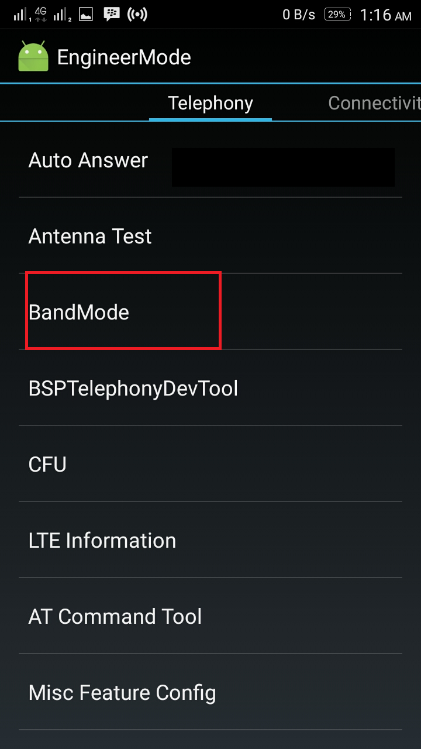
- Uncheck the FDD_Band5 and click on the SET button. In the case of availability of the 2300 MHz band in your area, choose it.
Now reboot your phone and your JIO 4G speed should probably increase.
5: Internet Speed Boosting App
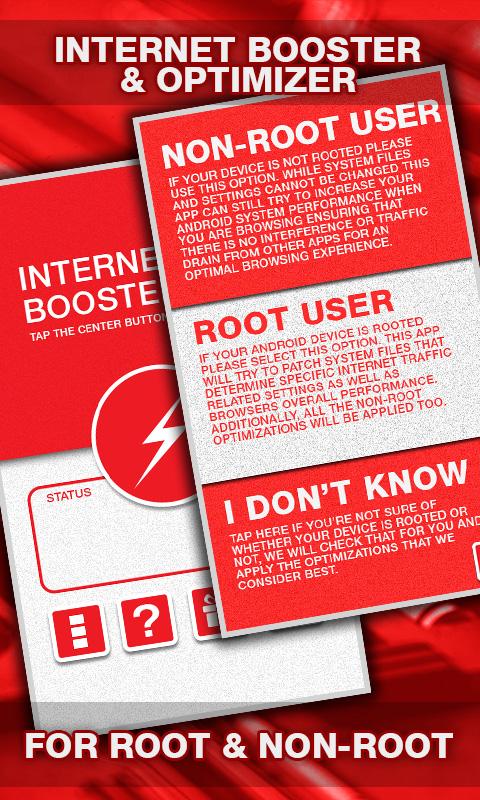
- Download and install the Internet Booster & Optimizer app
- Enable the profile option to Non-Root User or Root user based on your device’s root option
- Run the app in the background
- The app will increase the JIO 4G speed in about few seconds
This app is very useful for every Reliance JIO 4G user. This app works for both Root and Non Rooted Android devices to enhance the internet speed.
6: Speedify
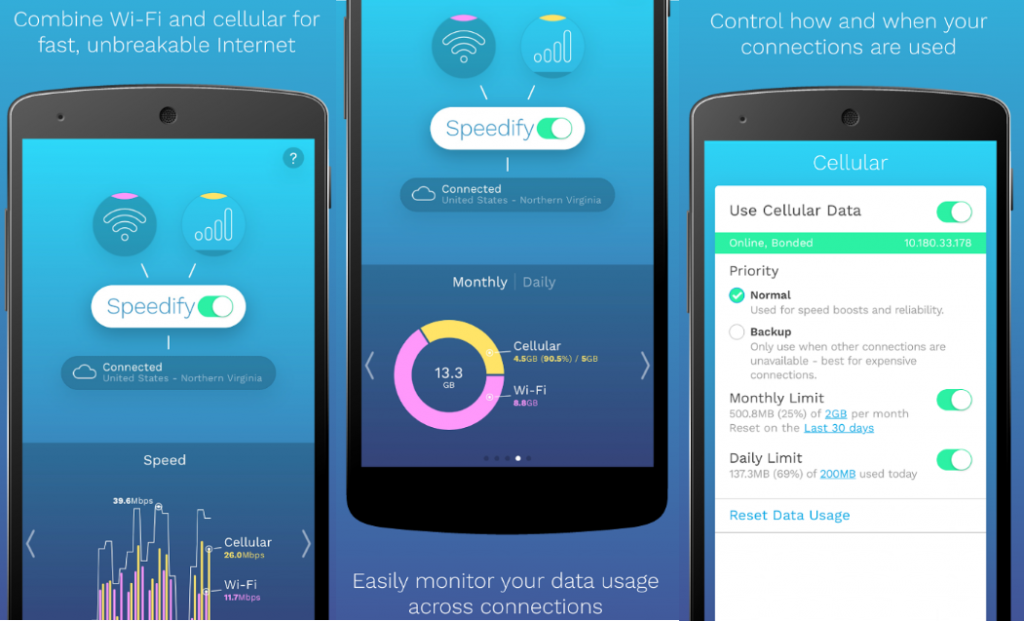
Increasing the speed by Using “Speedify”
Speedify is available for both Android and desktop. If you are going to use Wi-Fi and use JIO net in your desktop, then download the desktop version, else you can download the Android version and use it in your mobile itself. It is just like a VPN. You just need to connect to the nearest server and then you will get high-speed 4G in your device.
7: Especially for Rooted Devices

Trick for the Rooted Devices for increasing JIO 4G Speed
This one is specially made for the rooted devices. If you are about to root the device then just check this article first and then you can unroot it at any time. This won’t even remove your warranty. So follow these steps to increase the JIO 4g speed.
- First, download the 3G/4G Speed Optimizer in your device.
- Select the network speed as 12/28/7 which is the max Speed option.
- Now click on Apply Tweak.
- Restart the phone and after that, you will experience increased JIO 4g speed.
How to increase JIO 4G speed after utilizing 1 GB data by removing the JIO 1GB Cap Limit:
Reliance JIO is not stopping their services. At first, they came up with the JIO Preview Offer that did not have any requirements or limits. Later they announced the welcome offer which gave away unlimited calls along with 4 GB of 4G internet per day. Lastly, it is the Happy New Year offer and the continued summer surprise, which is currently running.
Here they have reduced the limit to 1GB. This isn’t enough for many heavy users and also won’t be enough for browsing on a laptop. Thus we came up with few simple tricks on how to remove the JIO 1 GB limit and increase your speed after crossing the cap limit.
Here they have reduced the limit to 1GB. This isn’t enough for many heavy users and also won’t be enough for browsing on a laptop. Thus we came up with few simple tricks on how to remove the JIO 1 GB limit and increase your speed after crossing the cap limit.
PS- “Whenever you try these tricks always see that your device must have at least 500 MB left out of the daily 1 GB limit”
1: By converting to Preview Offer
Using this trick will mean that you are actually converting the welcome offer or the New Year offer to the preview offer. To follow this trick on how to remove the daily limit of 1 GB and bypass it, you will be needing the older version of the My JIO app. You should never ever update this JIO app again. So, here are the steps you have to follow:
How to change your current JIO offer to Preview Offer
- Firstly, uninstall each and every JIO related apps and install the old My JIO app
- Open the old My JIO app list and then install all the 10 apps
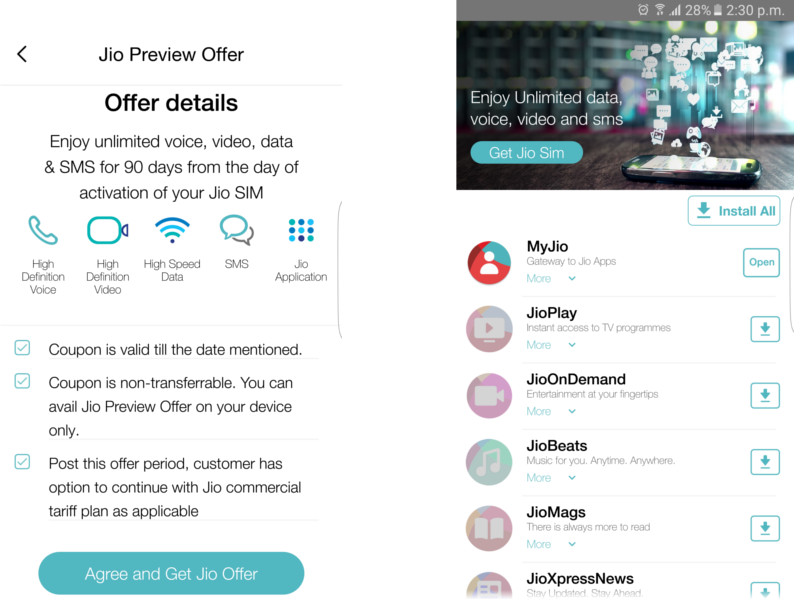
- After installing all the apps close the internet connection and open the JIO app list and then open the My JIO app
- Now just turn on the internet and then click on the Get JIO Sim
That is it, now your preview offer is activated and you are never to update the My JIO app again. Its better if you uninstall the My JIO app one’s it for all. This JIO 1 GB bypass trick works with almost every device if you successfully complete all the above steps.
Easy trick for Bypassing the JIO 1GB Daily Limit
Easy trick for Bypassing the JIO 1GB Daily Limit
Steps for Bypassing:
- First, visit the My JIO app and Open it to check the present balance.
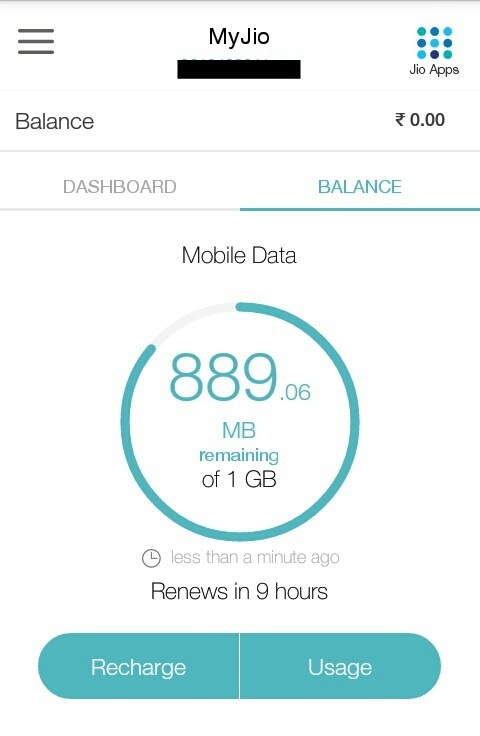
- Close the app and visit the mobile settings option
- Now go to the time & Date option in the settings and change the date to 2 days later. (Ex. If today is 2nd June, then update it to 4th June)
- Revisit the My JIO app. It will show that the balance is Zero

No need to worry for this. You will be able to use unlimited data from now.
2: By continuously downloading and changing APN
The only proper JIO 1GB Limit removal trick is the bypass trick where you convert the JIO welcome offer to the preview offer. Now this trick of JIO 1 GB limit removal may not work with every device. Thus for this to work, your device must meet the remaining conditions. Well these are the requirements for following the JIO 1 GB limit removal solution.
Basic Requirement of this JIO 1GB limit Trick to work
- Your device should not be stored in the JIO database
- This means you should not receive any kind of JIO 1 GB limit warning messages
Do not follow this JIO 1 GB limit solution if you have run out of your daily 1 GB internet limit.
1.First, visit the APN Settings and then set the protocol as ipv4/ipv6
1.First, visit the APN Settings and then set the protocol as ipv4/ipv6
2.Open the UC browser and then download a few items till your data usage reaches 100 MB
3.You will be given a warning and the internet speed will slow down4. Just resume the download and see if it works. If it works then keep on going5. Now change protocol to ipv6 and turn on the JIO internet and do some browsing till 50-60 MB of data is used up and then restart the phone.
3.You will be given a warning and the internet speed will slow down4. Just resume the download and see if it works. If it works then keep on going5. Now change protocol to ipv6 and turn on the JIO internet and do some browsing till 50-60 MB of data is used up and then restart the phone.
6.Repeat this same process and use 6-8 MB
7.Now change protocol to ipv4/ipv6.
Once you finish using the 1 GBdata from your JIOsim, your speed reduces to 128 kbps. This means that the internet is still unlimited but you won’t be able to download or stream any video. If you are a heavy user then we will recommend you to use the above method to prevent the JIO1 GB limit per day.
Conclusion:
So, these were some of the most useful tricks that will guide users to increase the JIO 4G download speed, as well as how to bypass the 1 GB limit capping limit of your JIO enabled device.