Showing posts with label Bsnl. Show all posts

Friday, 11 August 2017

How to Increase BSNL Broadband Speed 2017 ~ niit post

How to Increase BSNL Broadband Speed
Are you fed up with your low BSNL broadband speed, then you must surely check this post to incredibly increase BSNL Broadband speed. Though according to BSNL new scheme you will get minimum 2MBPS speed. But that’s just for your high-speed usage after that you will get the 512 kbps. There for in many areas, you will not even receive this 2 MBPS. So we need to optimize to get higher internet speed.
How to Increase BSNL Broadband Speed

BSNL broadband internet connection is the most used broadband service in India. BSNL Broadband often gives problems like some websites not opening or the internet speed getting slow as you use the internet for few hours.
Here today I will give you the tips to increase your BSNL Broadband speed. You will also like to check How to increase Wifi speed.
BSNL has also recently announced that it will be upgrading its BSNL broadband minimum speed 2 Mbps from the existing min. of 512 Kbps. (As part of Prime Minister’s Digital India initiative, BSNL will inc. the min. broadband speed up to 4 times).

Top 3 Best Tricks to Increase your BSNL Broadband Speed

DNS Settings

If you find that you are not able to open some pages. Or your internet connection shows could not connect to this page error. And when you refresh several times it get open. Then it just might be the case of DNS. You can optimize this. By using Google DNS settings.
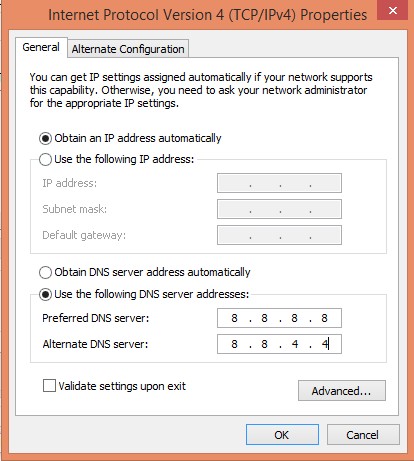
  • Simply move to your network and sharing center. Then click on your network.
  • Now click on Properties, Select the TCP IPV4 from the list and then click on Properties.
  • Now enter this in the DNS settings.
Preferred DNS Settings : 8.8.8.8
Alternate DNS : 8.8.4.4
dns settings

This will help you to load your page faster. And you will definitely get improvement in your connection.

Clear Browser Cache

Sometimes our internet speed becomes slow due to our browser also. While using the internet our browser cache memory gets full. And we need to flush it.
If we don’t you will experience the slow speed and browser crashes. So you need to clear your browser cache and history to optimize your browser performance.
Try out this method to clear Chrome cache and iPhone browser cache.

Change the Value Using Group Policy Editor
Change the Value Using Group Policy Editor

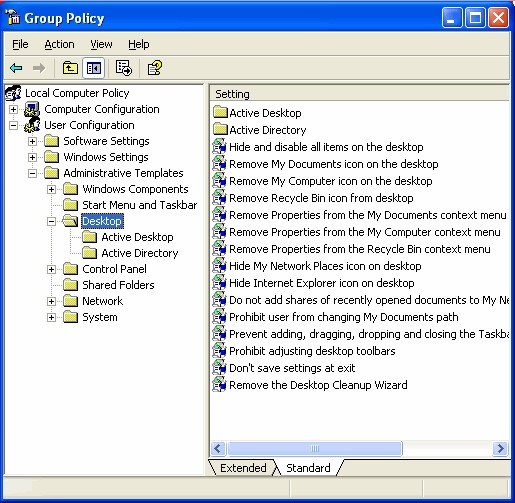
You can increase your BSNL Broadband internet speed by Changing the Value using the Group Policy Editor.
  • Go to the Start Menu.
  • Search Run.
  • On RUN type ‘gpedit.msc’.
  • It will open the Group Policy Editor.
  • Navigate to ‘Locate Computer Policy’ > Computer Configuration > Administrative Templates > Networks > QOS Packet Scheduler > Limit Reservable Bandwidth.
  • Now, Double click on option named “Limit Reservable Bandwidth”.
  • Change to value from 20 to 0.

Using TCPOptimizer Software

 
TCP/IP is a very important parameter that determines your internet speed. So to get the godd internet speed you need to optimize according to your ISP. So for this you can download this free TCP Optimizer tool.

Download the TCPOptimizer Software here > Download Now
So now enjoy the internet at high speed. By using above methods, you can surely increase BSNL broadband speed. But still, if you have any problem. Then just comment your query below.
Read More »

How to Check Bsnl Boadband Data Usage Online ~ niit post

Here I will tell you How to check BSNL Broadband Usage details. If you have BSNL Broadband, then this article may useful for you because here I am giving full information about how to check your BSNL Broadband data usage online.
In BSNL most of the plan have capping on high-speed data. Like i have a 4MBPS plan with a cap of 20GB and 512KBPS afterward. So i need to keep checking my data usage, so i can run it full month preventing wastage of data. So you can also monitor your BSNL broadband data usage from the steps given below.
how to check BSNL broadband data usage

How to check BSNL Broadband Usage online

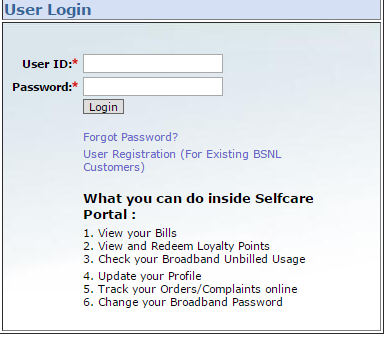
To check your BSNL details you need to first register on Bsnl Customer Selfcare Portal. There are lots of benefit of self care portal. You can check your Bills, Broadband Usage, Compalaint booking and status and also change your BSNL Broadband password.
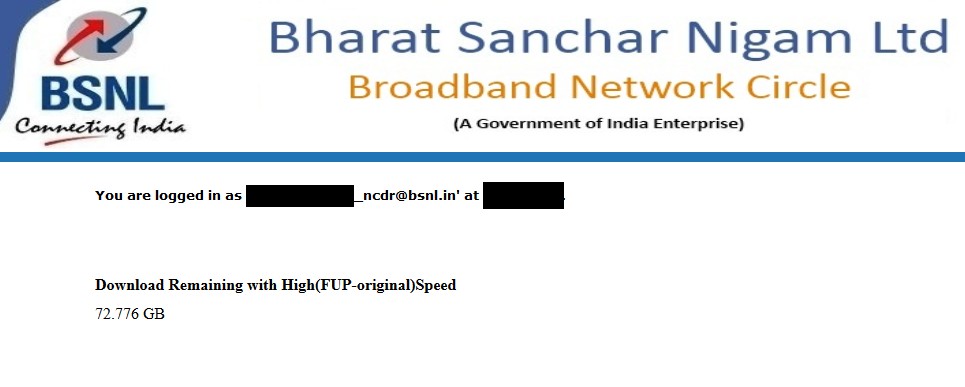
Or simply Type this 172.30.35.40 in address bar and enter. It will display the amount of data left in your account.
bsnl data usage check
This selfcare portal of BSNl is divided according to area into 4 Zone. So first check in which zone you exist then register accordingly.
  1. East Zone: Kolkata, Orissa, Bihar, West Bengal, Andaman & Nicobar, Assam, Jharkhand, North East
  2. West Zone : Maharashtra, MadhyaPradesh, Chattishgarh, Gujarat
  3. North Zone :Haryana, Punjab, UP(West), UP(East), Himachalpradesh, Rajasthan, Jammu & Kashmir
  4. South Zone : AndhraPradesh Circle(AP & Telangana), Chennai, Karnataka, Kerala, Tamilnadu
You can chose your zone according to your state from the above list and can register accordingly.
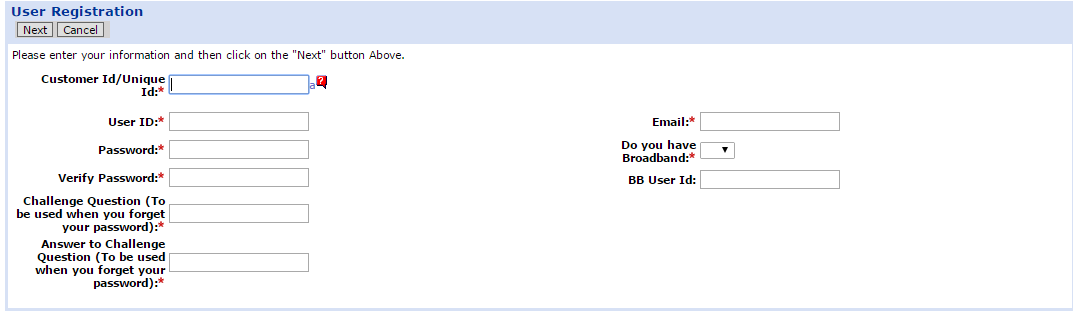
  •   On that page you will find out the registration process now click on the user registration for exiting BSNL customers
2015-10-26_064848
  • Now you need to fill these particular fields like customer id and telephone number if you do not know your id you can find out on your BSNL telephone bill.
2015-10-26_064946
  •  Just fill the all the details and click on the I agree on button
  • Now you will get the confirmation message that you have done successful registration and press the Finish button to complete the registration.
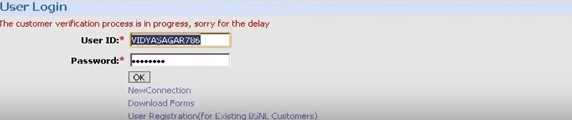
  • Next, you have to log in on BSNL customer care portal your own created by user Id and password.
2015-10-26_065116
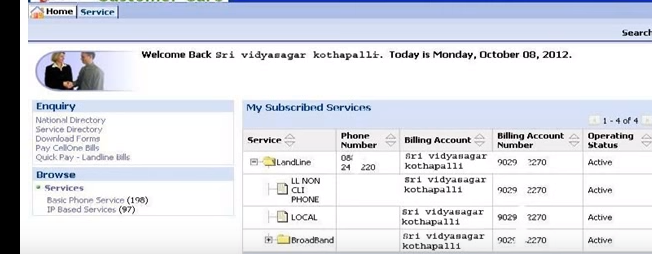
  • Now you need to wait for verification process then you will find out sample screen where you will find out my subscribes services and just click on landline services.
2015-10-26_065237
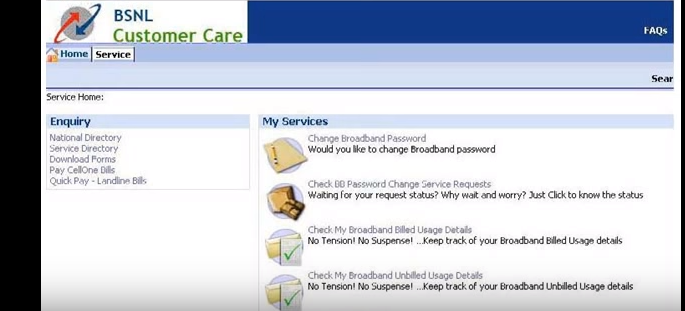
  • It will show broadband plan and status. Just click on my services button at left most side. You will get full list of my services it was displayed on that webpage. Just click on check my broadband unbilled usage details.
  • 2015-10-26_065404
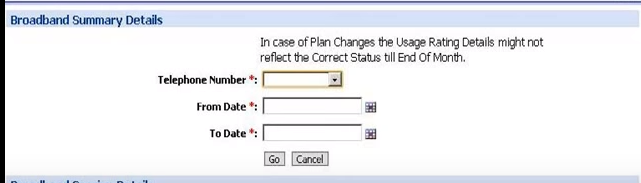
  • By clicking this option you will get broadband summary details webpage. Now you need to fill telephone number, from date and to date click on the go option
2015-10-26_065503
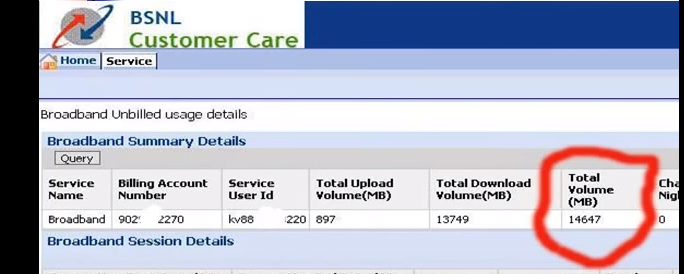
  • Now you will get broadband summary details like service name, billing account number, total volume MB, total upload volume, total download volume. You can get to know total usage.
2015-10-26_065555

  • Now you can log out. that’s it how simple it was. You can now check your BSNL broadband usage online yourself, no need to contact customer care. Just few click and you can check your BSNL Broadband data balance.
Hope you can now check your BSNL broadband usage online easily without any issue. Still, if you are unable to get your BSNL Broadband data usage detail. Just let us know in comments.
Read More »